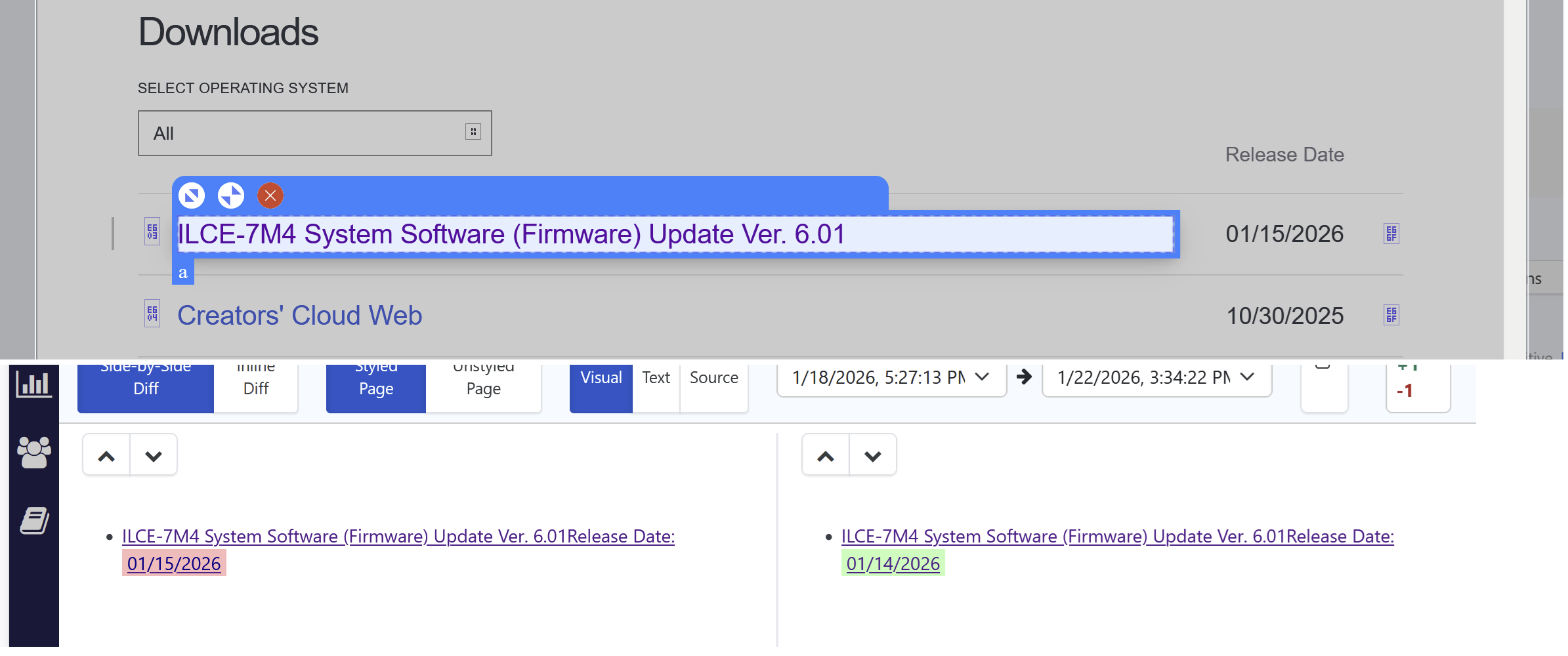
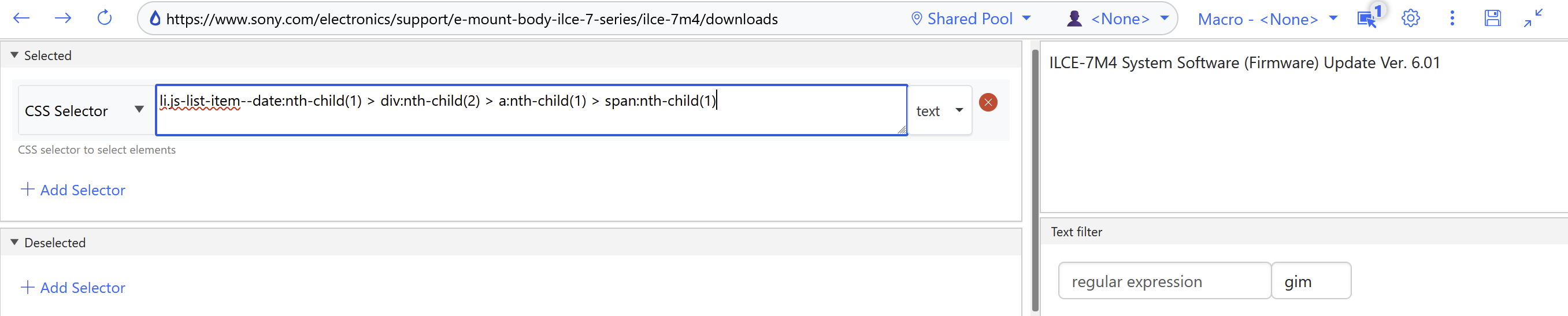
I’ve tried editing and selection as well as deleting the monitor and recreating it. Diffs continue to include that date which was not part of my selection.
@jbuzz Yes, this is a great use case for de-selectors, and it’s actually the closest thing Distill has today to “ignoring hidden elements.”
Option 1: Use a selector + de-selector
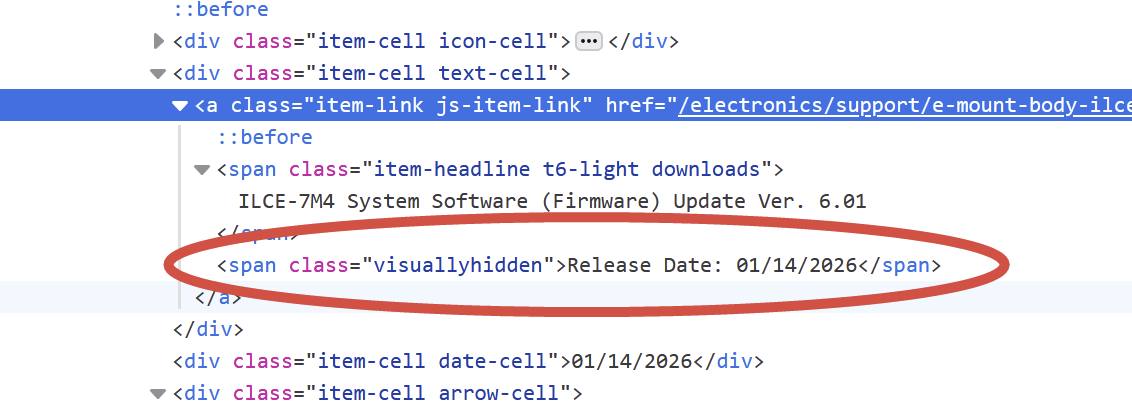
A de-selector lets you explicitly exclude parts of the page you don’t want to monitor — including hidden elements like visuallyhidden.
For your case:
CSS selector:
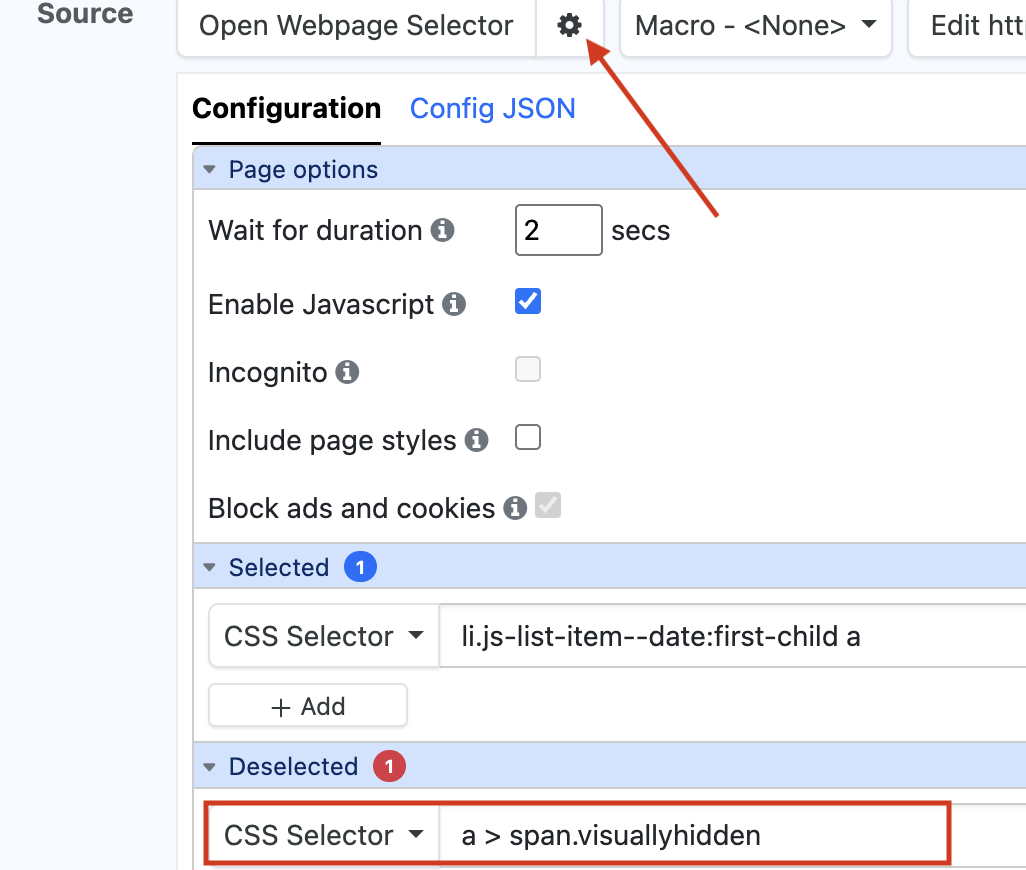
li.js-list-item–date:first-child a
De-selector: a > span.visuallyhidden
You can open the Monitor Configuration settings (Monitor “Edit Options” → Settings) and add it to the Deselected CSS selector :
This effectively “hides” those elements from monitoring, which directly addresses what you were asking about.
Option 2: Use a more precise selector
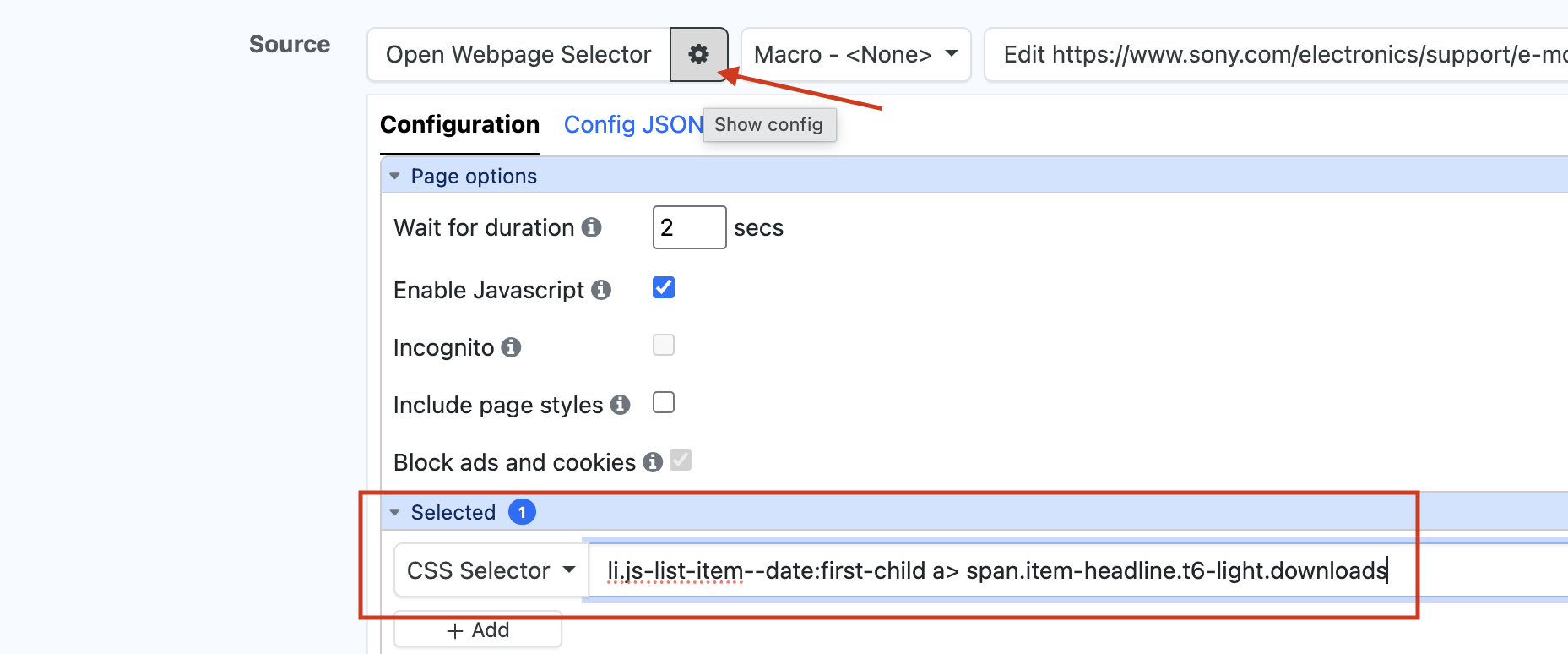
Another way to solve this is by narrowing the selector so it targets only the visible text node you care about.
CSS selector: li.js-list-item–date:first-child a > span.item-headline.t6-light.downloads
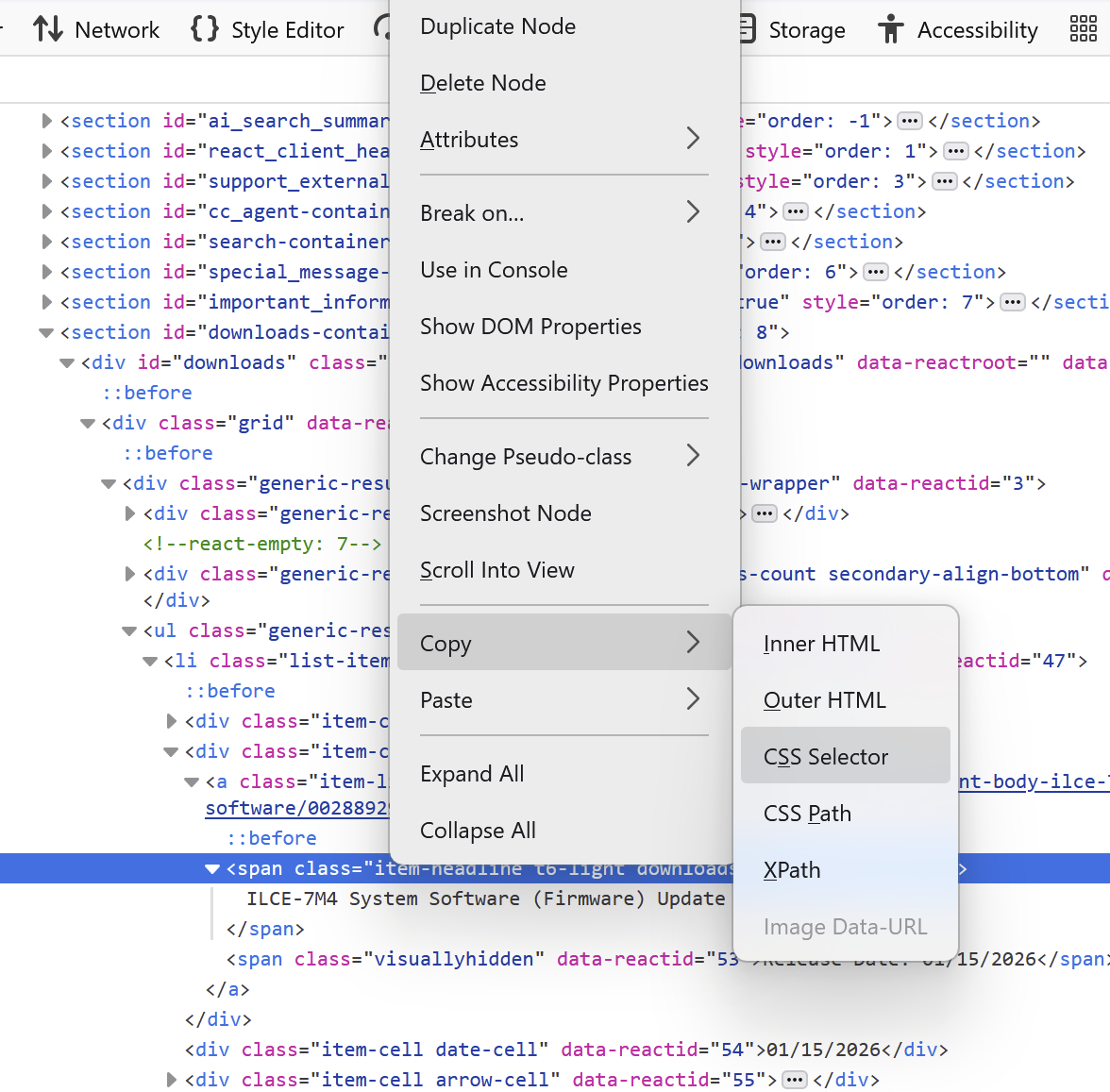
Thank you so much for sharing this. Now I see how to use the selector more effectively. I found a third method as well. Using Firefox dev console there is a Copy > CSS Selector method which grabs another query that isolates only the visible text.