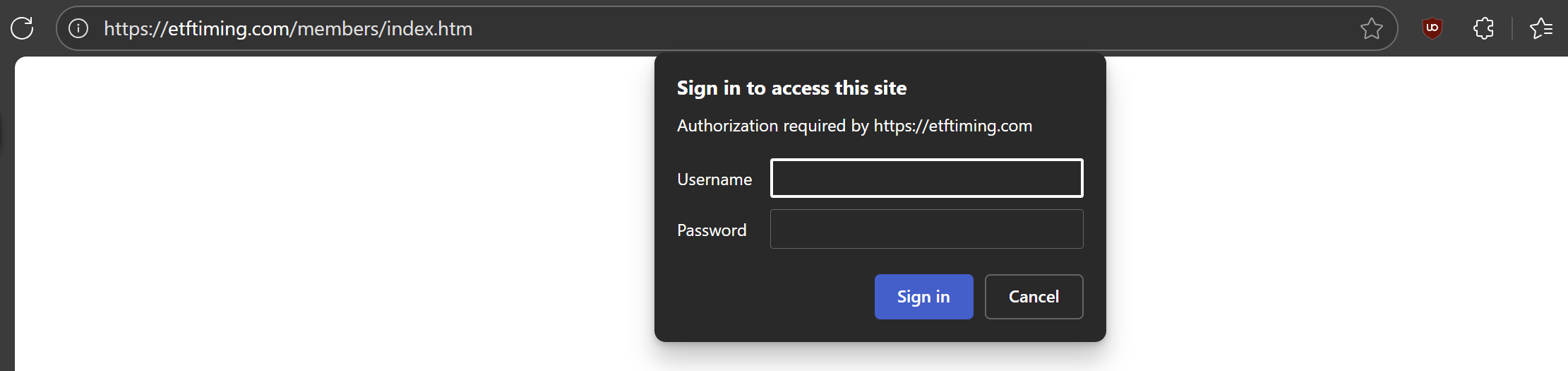
I try to creat a macro with the starting url: https://etftiming.com/members/index.htm
The remote browser ends up in: chrome-error://chromewebdata/
Any suggestion?
I try to creat a macro with the starting url: https://etftiming.com/members/index.htm
The remote browser ends up in: chrome-error://chromewebdata/
Any suggestion?
@takkwongng from what i can see, this site is using basic auth:
for a site that uses basic auth, you need to enter the URL in the following format:
https://username:password@address/path
for example, you can enter the following as the url so that it can be opened in the remote browser.
https://myname:mypassword@etftiming.com/members/index.htm.
please note that using a local device like the browser extension is usually the default choice for monitoring pages that require login.