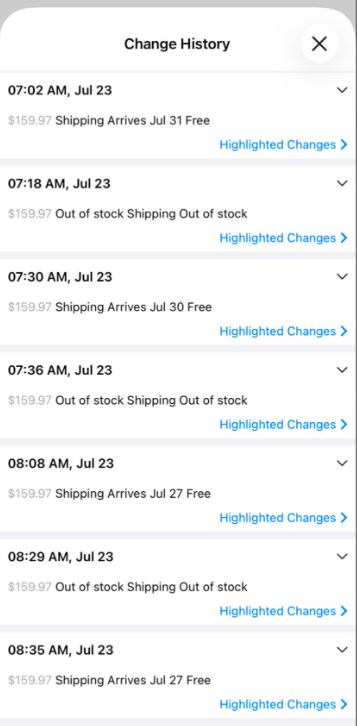
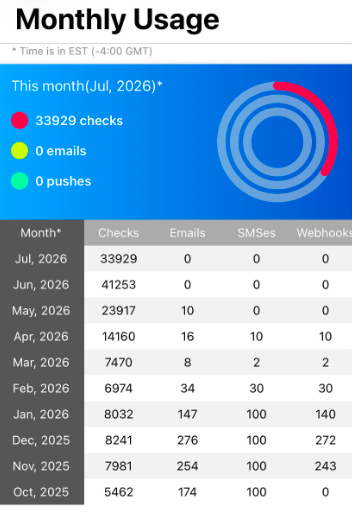
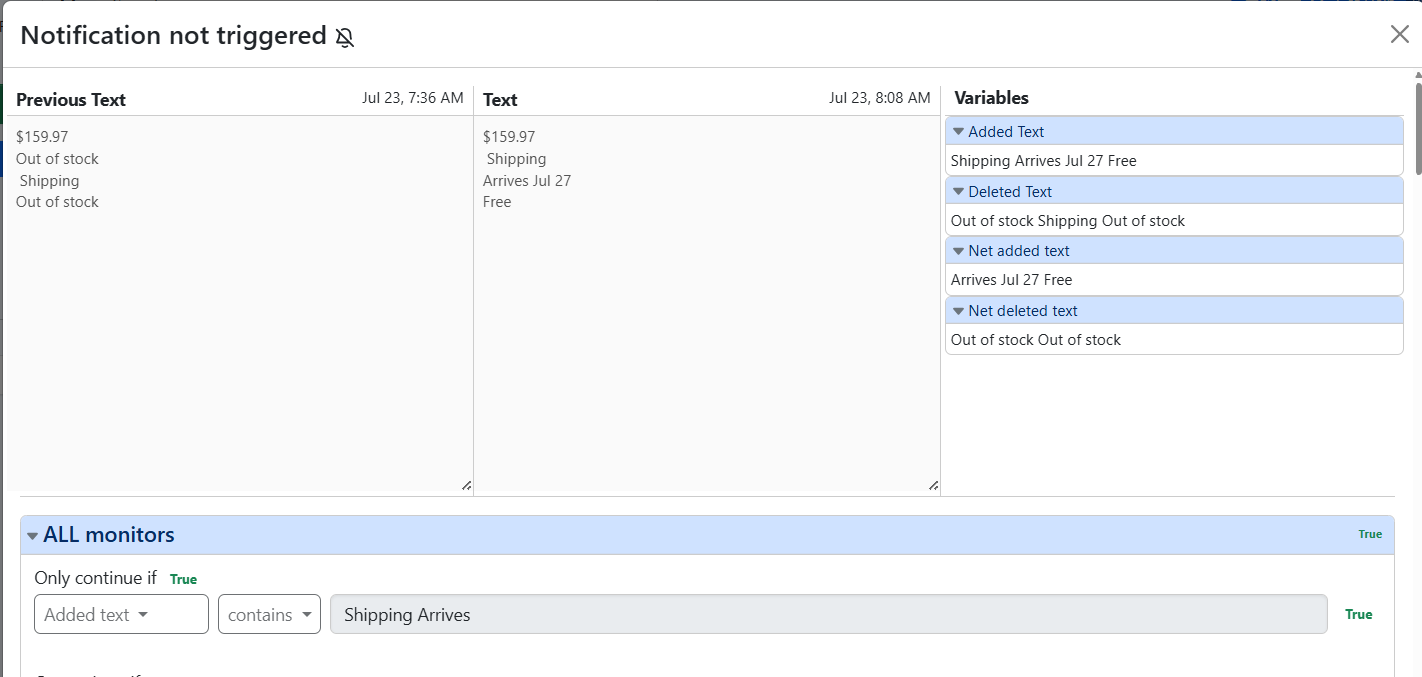
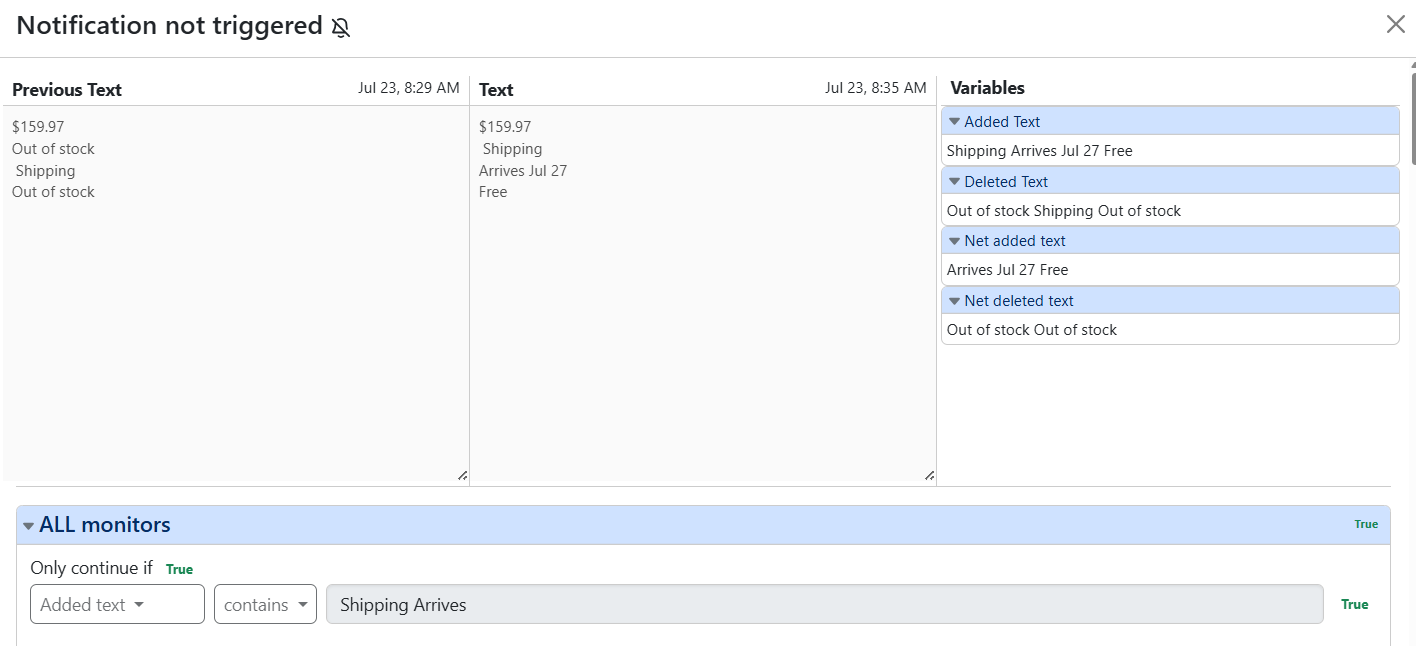
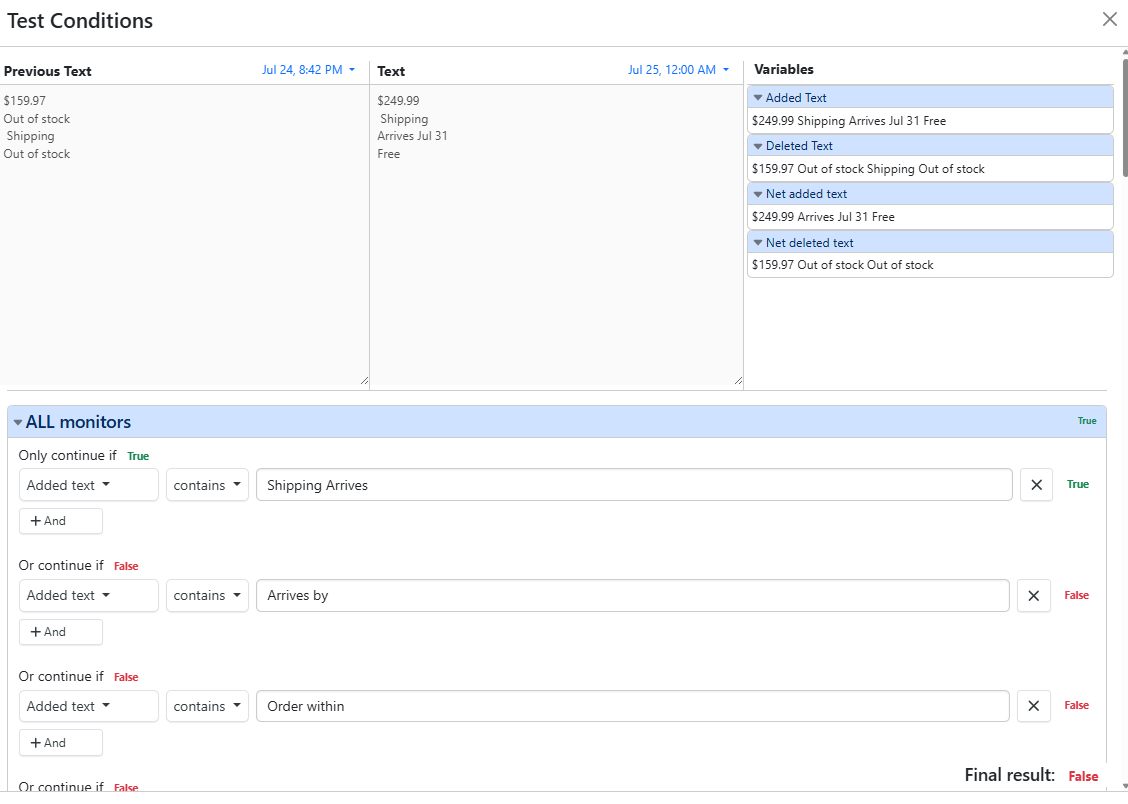
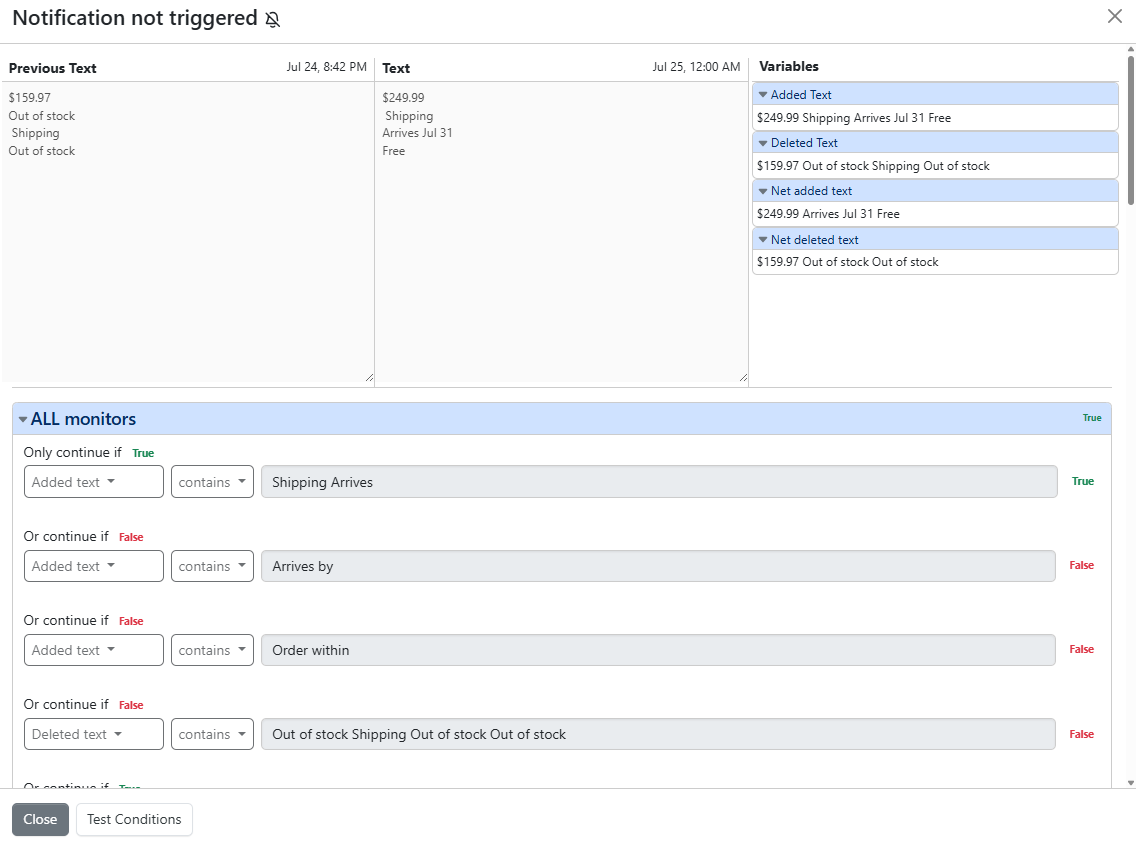
I am paying for the professional plan and it’s not cheap, but it’s not doing its job of sending me email, SMS, Discord, and push notifications on the Distill app. What is going on? I didn’t realize this until I missed a product release this morning. The text change for the product should’ve triggered my conditions. I just tested my conditions, and they are all working, but I wasn’t notified this morning. All email, SMS, Discord, and push notifications on the app stopped working last month for me (see attachments). I need this fixed to make the most use of paying for this service.
@zajdab The change history confirms that the monitor is running and detecting changes successfully. However, notifications are sent only when a detected change matches the configured conditions.
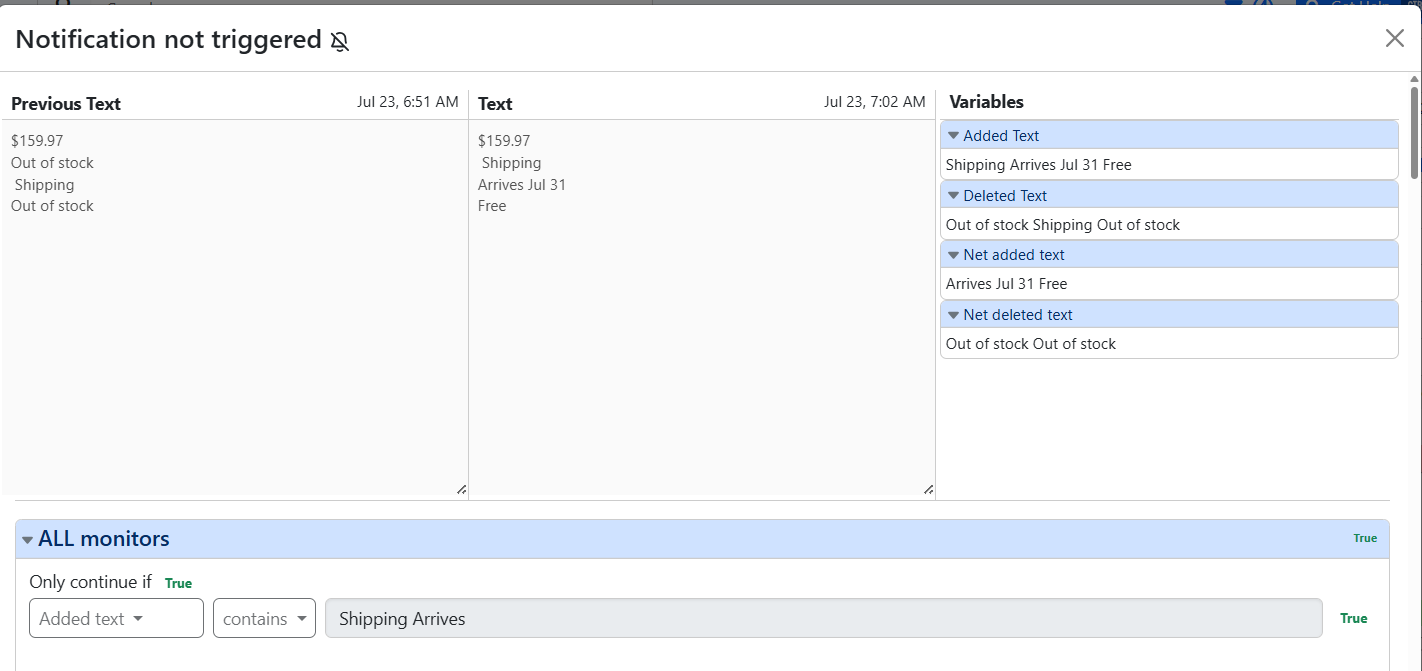
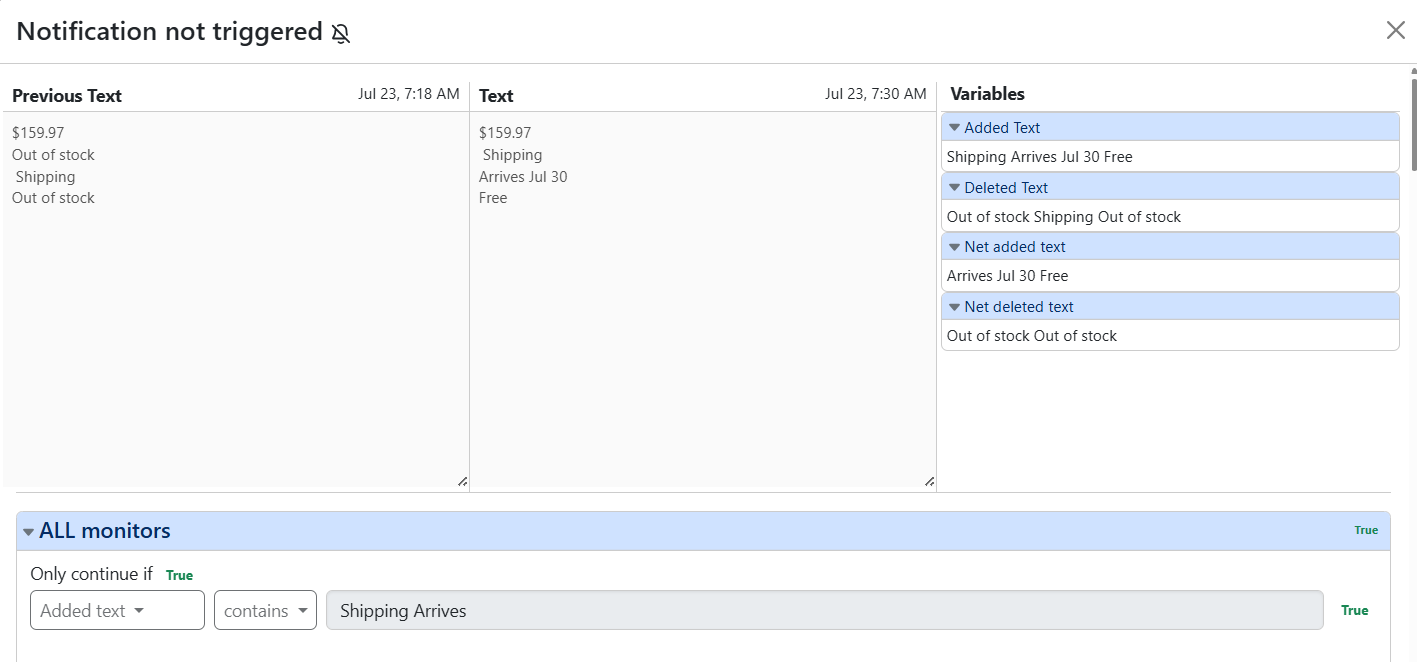
In this case, it appears that the change was detected, but the condition did not match, so the alerts were not triggered. Could you compare the latest text in the change history with your condition and confirm whether it should have matched?
You can also review the change history in the web app at https://monitor.distill.io. The bell icon next to each change indicates whether an alert was triggered for that specific change.
Please note that a change appearing in the change history does not necessarily mean that an alert was triggered.
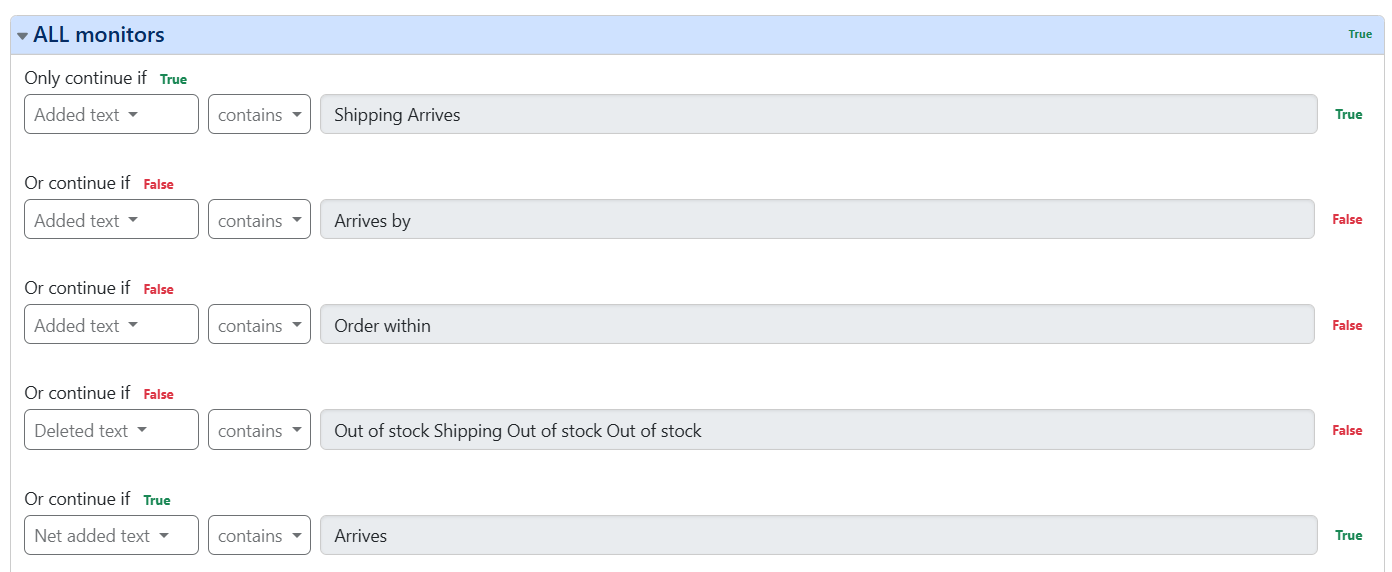
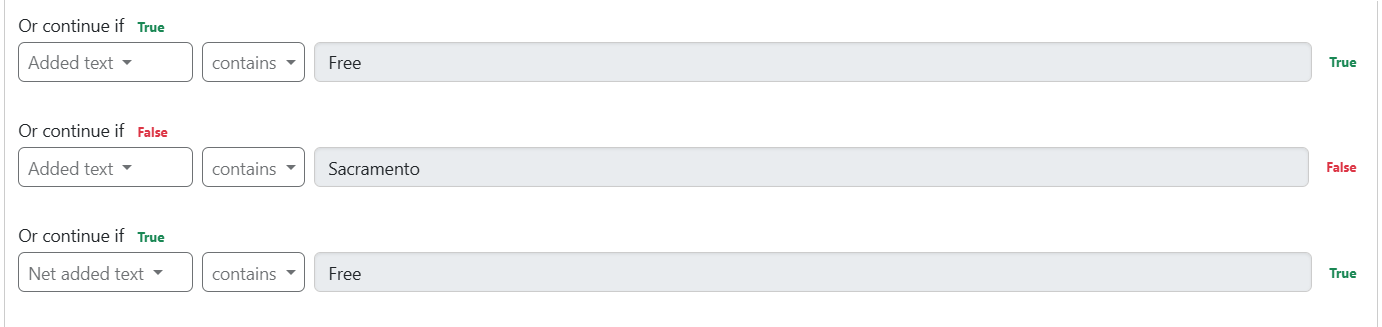
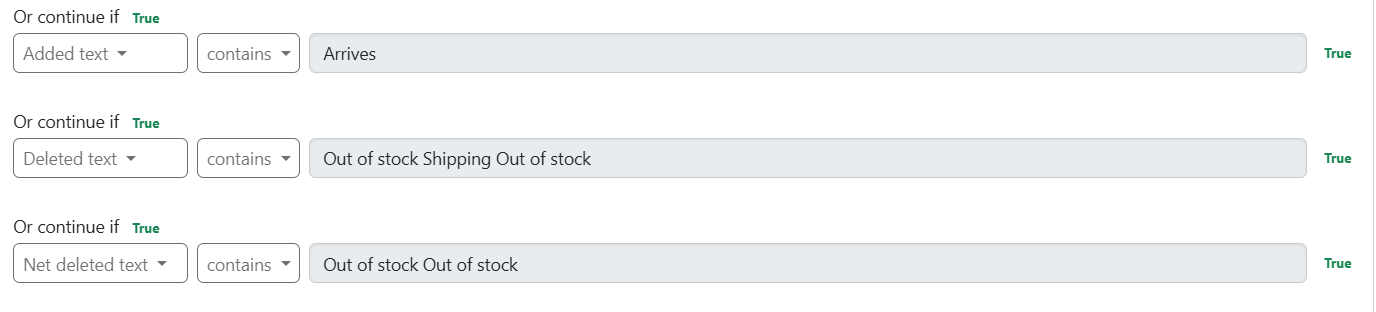
Thanks for getting back to me, @raksha. I checked again, and the conditions matched at several different check times (see below). All matched conditions still did not trigger alerts. See below for my global conditions that matched and should have triggered alerts.
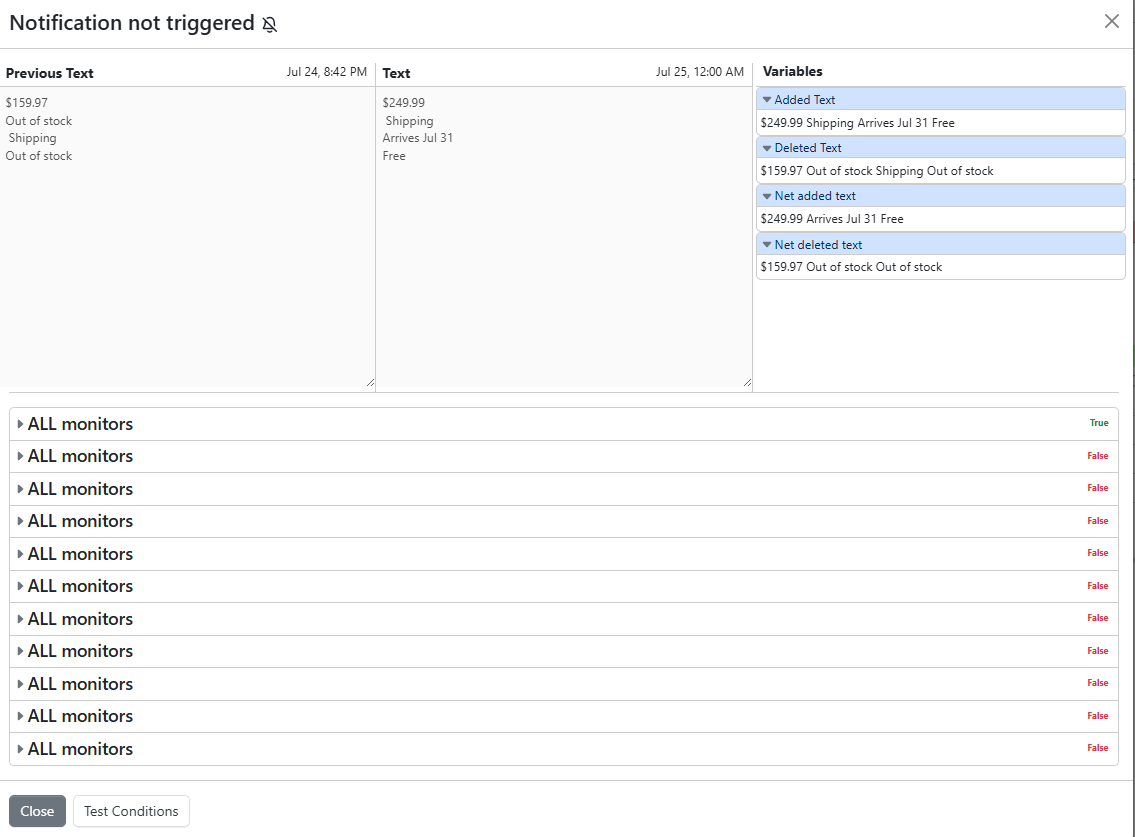
The Jul 25, 12:00 AM check, for example, did not trigger even though the item came back in stock (see below). Of my 35 global conditions, 28 show “False” and 7 show “True.” Does it have something to do with the number of “False” vs. “True?” That shouldn’t be the case, right. If it shows “True,” I should get a trigger?
The final condition is evaluated based on both the Global Condition and the Local Condition. The condition will be considered true only when both are true.
In your case, 35 Global Condition Sets have been configured that apply to “All monitors”. Multiple sets are usually added when applying the condition set to different sets of monitors. When multiple conditions sets apply to a monitor, every set must be true for the overall condition to be met.
Recommendation:
If you have added different keywords to the other Global Condition sets, you should move them to a single condition set like you have done already in the first screenshot.
By the way, what was the idea behind adding multiple condition sets?