Never had this problem from Jan-July this year. Finally started using Distill again 2 weeks ago and it won’t give error notifications. I need these because every hour or so (it changes) I get error and need to manually click page from distill page to reset it. Anyone know why I’m not getting error alerts? I have it set to alert after 5 consecutive errors and every 5 minutes to notify me. Literally no settings have changed from when it was working just a few months ago… Thank you
Update: Just tested and error alerts are working for Distill Web app… It seems to be only microsft edge extension having this problem. (I need to use edge though because web app has trouble with the website i track.
thanks for reporting this issue. we will check it out and let you know.
Any updates? It seems to be a Microsoft edge only thing.
version 3.12.2 had a bug where popup notification was broken but other notifications channels like audio or email worked. can try updating to version 3.12.3 released yesterday and see of that works for you now?
How do I do that? should I just uninstall extension and then reinstall?
I uninstalled and reinstalled but don’t know if I’m on updated version. For one thing the changelog still only shows up to September 7th.
usually restarting the browser or going to the browser’s extensions settings page to check for updates works. the extension settings page displays the version number too.
Yeah I have updated version but still not getting error alerts. It’s very weird because for 6 months straight I never had this problem. I’ll try on firefox and chrome and see if having same problem.
couple of quick questtions:
- do you have the version 3.12.3 installed on edge?
- what are the error actions currently set? i am wondering if the issue is something else.
please note that chrome’s 3.12.3 version is under review and should be available in a day or two.
Any update on this? I’ve tested and noticed that I do not get error alerts on chrome, firefox, or edge. The only error alerts I get are if I use the Desktop App. (Which doesn’t work on the website I track)
Here is screenshot:
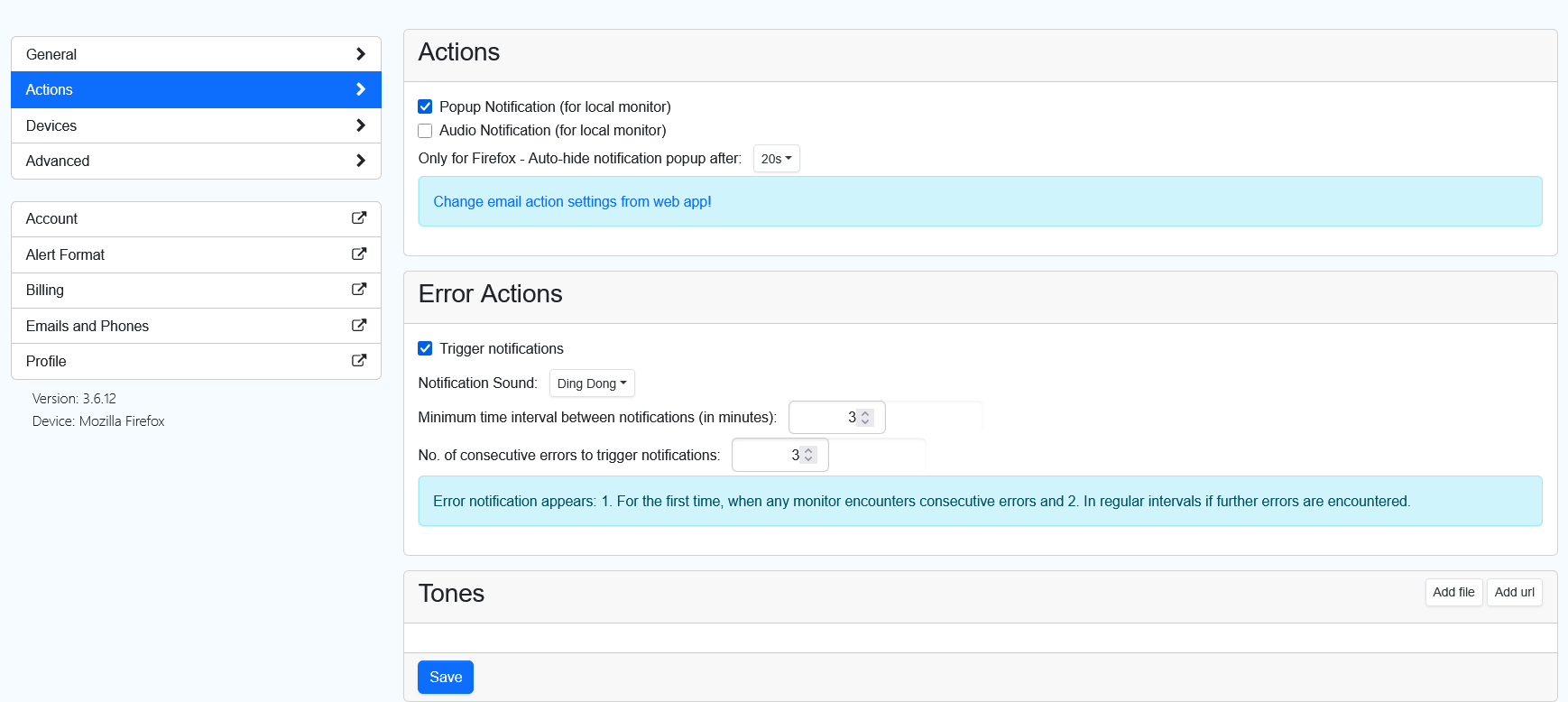
f my settings and I am on the latest edge version.
thanks for the screenshot. this screenshot if from the firefox extension. can you check if the error actions are enabled edge extension?
please note that the settings for error actions are specific to the device that performs that checks. so, it needs to be set for each device.
Yes the actions are same in the Edge version, but I have the exact same problem in Firefox and Chrome. It’s all browsers (I haven’t tried opera though)
note that firefox is a very old version and the way error actions have changed between edge. i am able to get error alerts using edge. also note that error actions are only triggered for monitors running on the device where the error action has been configured.
Just tried on Edge and still getting no error alerts. This is so frustrating because I had zero problems with this until I took a break from June till September. Once I started using Distill again in September the error alerts stopped. Can I go to a earlier version? Is that possible?
I was finally able to get my hands on a different laptop to see if the not getting error alerts was just my laptop. However I had same problems with not getting error alerts on Chrome and Firefox. It seems to me account specifically that cannot get error alerts (even though I had been getting error alerts fine the last year)
Due this error can you upgrade me to Professional account? I can’t afford the price, but because this error cannot be fixed I want to see if using Proxies will bypass the timeout on the website I track (That way I won’t get any errors anymore, so know need for alert)
Thank you and if you have found solution that works as well. I can even give my login info if you want to troubleshoot on your end.
@lamadin Thanks for the update. Since this may involve reviewing account-specific settings and potentially sharing sensitive details, could you please reach out to us directly at support@distill.io? We’ll be able to assist more thoroughly there.
Also, while doing that, could you please include a screenshot of your Error Actions configuration, especially how you’ve set up the trigger notification for errors in Google Chrome? There’s a chance the issue could be related to configuring the error action on the cloud monitor instead of the local monitor, which would explain why the Chrome alert isn’t triggering.
We look forward to helping you get this sorted out!