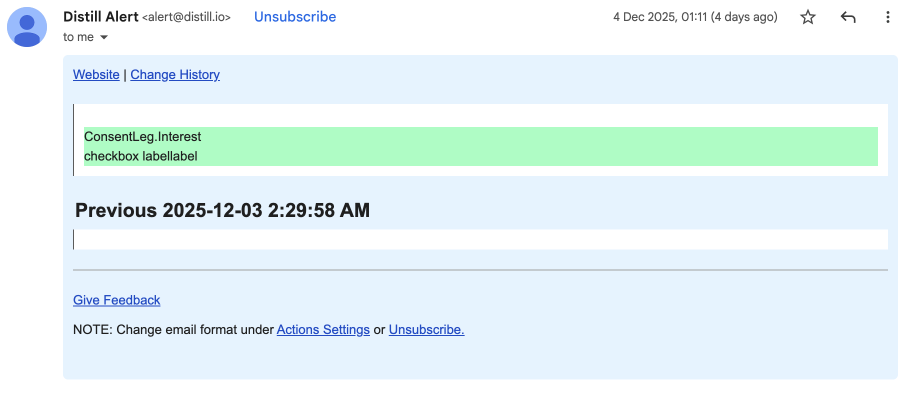
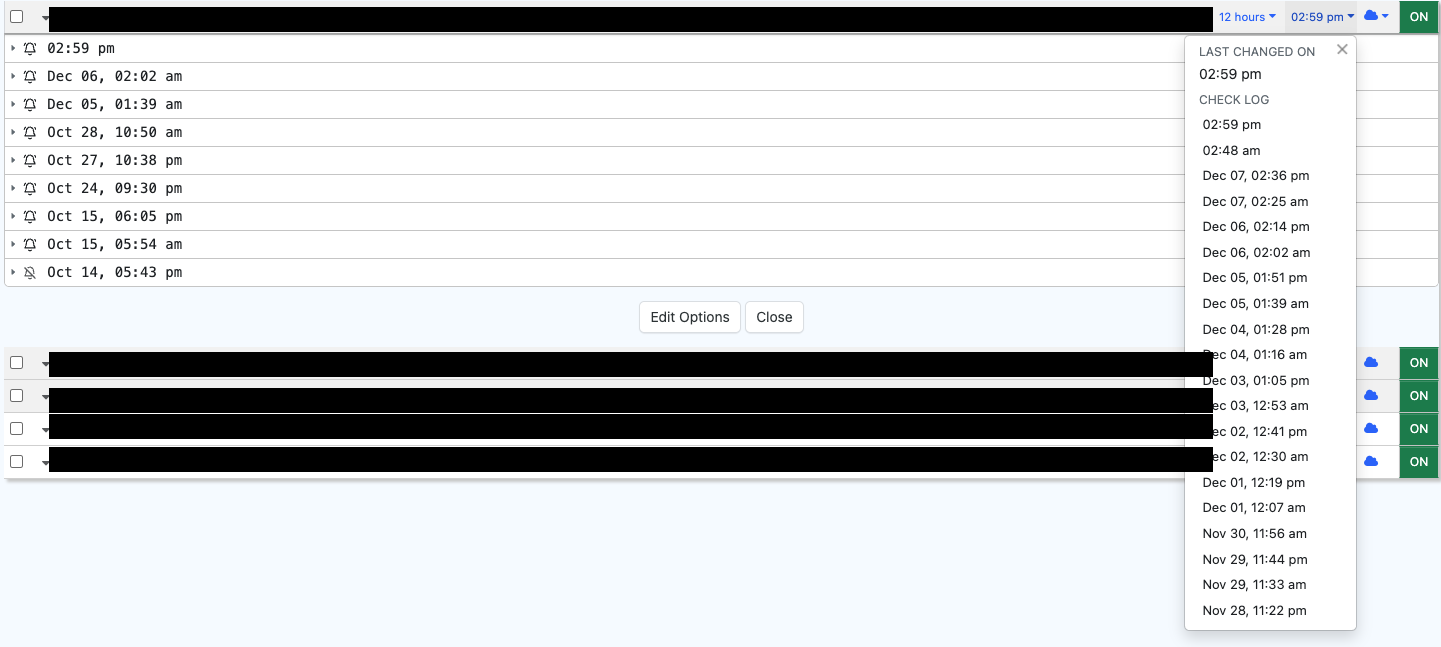
I went in the diff alert on my Watchlist, on the specific change, and retriggered the email. The new email that I got looked fine and as per expectations.
Why did it fail the first time? How can it be avoided, or auto-recovered (I don’t mind two alerts - one faulty and one recovered.
@finrepyash From what you’ve described and the image provided, it looks like the initial alert captured garbled data rather than the expected content. This is usually caused by dynamic content, cookie consent banners, or other temporary overlays that load during the check — which can interfere with what the monitor captures.
Here are a few suggestions to improve reliability:
Use the Visual Selector to target only the specific portion of the content you need. Avoid selecting too broad an area or elements likely to change or be blocked dynamically. Exclude cookie banners or dynamic overlays from the selection
Ensure cookies are accepted on the page before setting up the monitor.
@srijith thanks for this. I will try the third option since the first two are already satisfied. I was facing a time interval issue with another monitor, and am doing the same for all of the monitors to allow for loading. Will in parallel figure out the Dedicated Cloud Device setup and migrate the monitors to that.
I have a trigger set from which I got the email with the details of a diff on November 26, 10:25 am local time. The runs don’t show any diff detected in the history.
@finrepyash It’s possible this might be a case of monitor mix-up — it can happen when there are multiple monitors with similar names. To help clarify, could you please check the following:
Visit your Action Logs here: https://monitor.distill.io/#/u/0/usage/logs/ and check for the log with timestamp November 26 and action as Email. You can click on the monitor name and verify if its the same monitor.
Then, also open the email alert you received on November 26 and click on the “Change History” and check if that change belongs to the same monitor.
This should help ensure we’re looking at the same monitor and get to the bottom of the discrepancy.
@finrepyash I also wanted to share one more possibility that might explain what you’re seeing.
If the monitor was running in the cloud at the time of the alert, please note that in the free plan, only the last 3 versions of change history are stored. So if there were additional changes after November 26, the older entry may have been automatically removed, which could be why you’re not seeing it in the monitor’s history now.