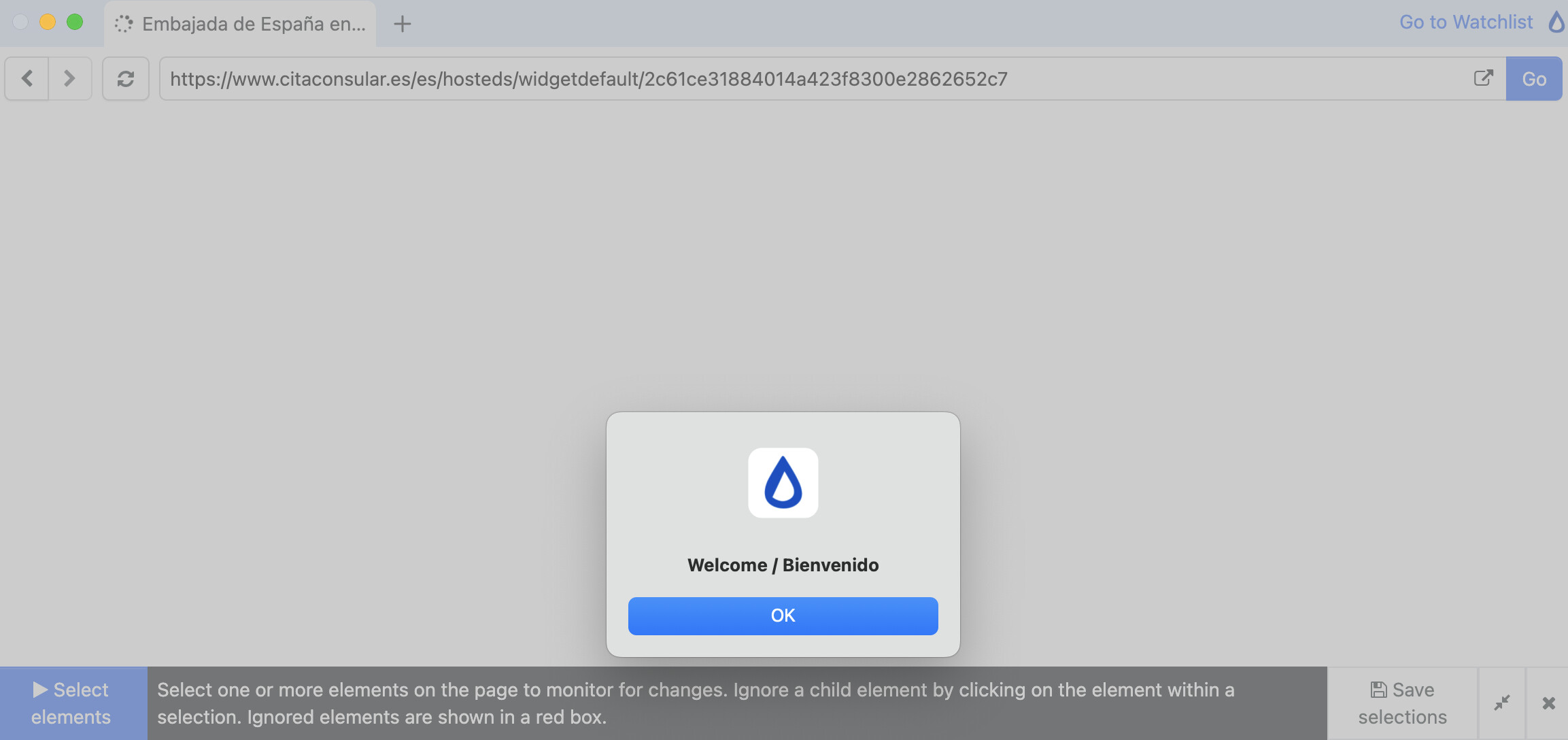
Hi there - i’m trying to create a macro to take a couple of steps to enable a monitor checking a value. When I record the macro from the desktop app, distill launches a new browser window, i go through the first click but it somehow the page loads without a ‘welcome’ pop-up which you have to click OK, when you visit the site normally to move to the main page.
When creating the monitor, the webpage is launched from Distill servers and the pop-up does display (screenshot below) As a result, the macro runs but can’t get through that pop up as it’s not programmed to click on it and probably times out. I’ve tried clearing history, etc. and still cannot replicate the pop up when recording the macro.
Any tips on how to address this? Is there a way to ‘hardcode’ an extra step to check for this pop up? Wasn’t sure what logic /steps to use.
@srojas thanks for reaching out and sharing your use case.
the alert dialog (shown in the screenshot) is a special kind of ui component that is different from other components in a webpage. it blocks the flow.
the remote browser closes the alert dialog automatically when recording and replaying the steps. as a result, this macro should always work using distill’s servers (cloud).
the desktop’s browser doesn’t close the alert dialogs automatically. we will see if we can close it automatically too. that should help with this page.
@stetman2 We are working on an upgraded version of the Distill Desktop App that should handle these cases better, and we expect to release it in the coming weeks.
In the meantime, you can create monitor for this website using our Web App (https://monitor.distill.io/) and monitor via Cloud monitoring.