I want to crawl a website which has the login function.
I have already realized that I can automate the login procedure with Macros.
But when I set Edit Steps in Crawler, I can’t choose the steps : wait_doc, click, type, which use to fill in ID and password.
How can I choose the the steps : wait_doc, click, type? In other words, how can I use Crawler and logiin Macros together?
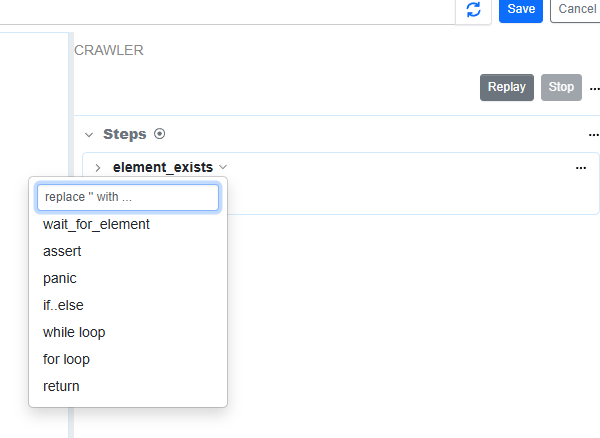
@digitalaccelsdpteng a crawler’s “page macro” is designed to perform validation checks in each page loaded by the crawler. the use case is to avoid crawling partially loaded page. for example, by using wait_for_element, one can wait for the page to be fully loaded.
the sitemap monitor’s crawler is designed to crawl public websites that don’t require any credentials.
couple of questions to help understand your use case:
- does the sites being monitored keep you logged in?
- how many pages do you need to crawl by a crawler?
thanks!
Thank you for your reply.
the sitemap monitor’s crawler is designed to crawl public websites that don’t require any credentials.
→ Now I have realized that it’s difficult to crawl through the website which needs to be login.
does the sites being monitored keep you logged in?
→For a period, the website keep my login information(ID and PW) in my Google Chrome profile. But after the period, it’s turned to be invalid and I need to fill in the information again.
how many pages do you need to crawl by a crawler?
→ many pages (more than 100 URLs).
Best regards,
got it.
these pages need to be added as separate monitors in the watchlist. did you want to collect all of the links using a sitemap monitor? if yes, we can help build a feature that can help do that if the session can remain active for a few hours.