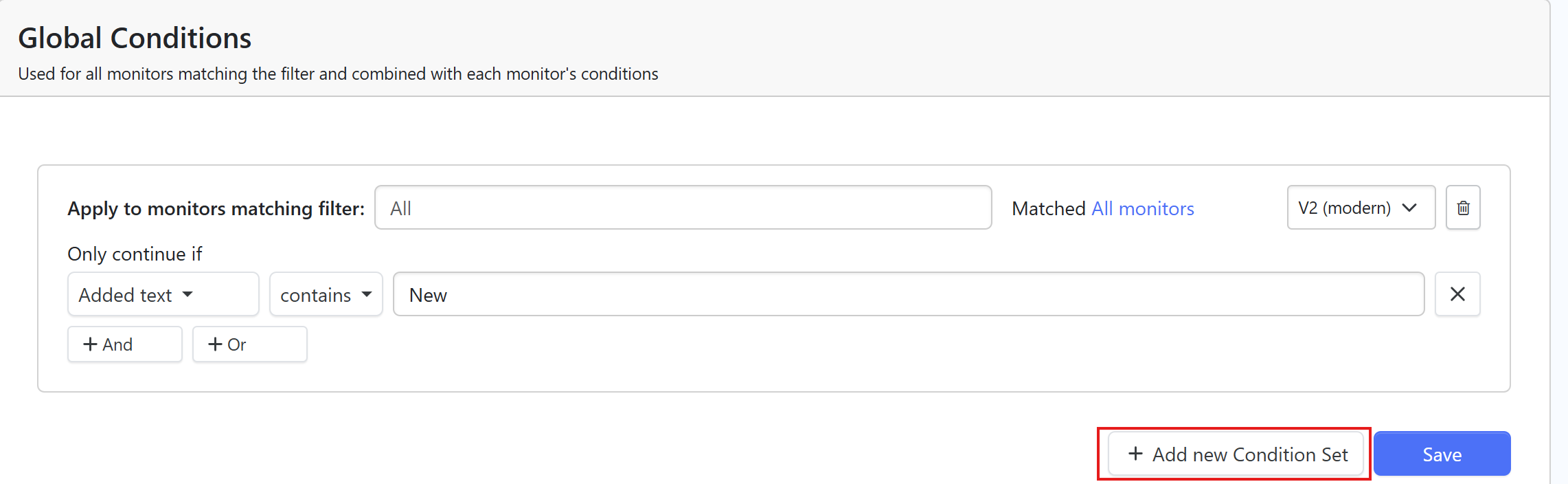
Background:
I need to monitor a specific area on multiple webpages for certain text (e.g., “New” ). When this text appears in that area, I’d like to receive a notification. To make things more efficient, I want to bulk import multiple webpage links and monitor them with the same condition. However, when trying to import the links via a CSV file, I ran into an issue. I can’t seem to apply the same condition to all the links at once.
What I’m Trying to Do:
-
Goal: Bulk import multiple webpage links and apply a uniform monitoring condition (e.g., checking for certain text in a specific section of the page).
-
Problem: I’ve tried using a CSV to import the links, but I can’t apply the monitoring condition to all the links at once. Each link needs to check for certain text (like “New” ) in the same area on the page.
-
Looking for Help:
-
How can I set up a rule to monitor specific text on multiple pages at once?
-
Is there a way to apply the same condition to all the imported links automatically?
-
Are there any tools or scripts that let me bulk import links and apply monitoring rules efficiently?
-
What I’ve Tried So Far:
-
I’ve tried using a CSV file to import multiple links, but I can’t apply the monitoring condition to all of them at once.
-
I’ve been manually setting the condition for each link, but it’s time-consuming and inefficient.
What I Need:
-
Bulk import links and automatically apply the same monitoring condition to each link.
-
Receive notifications when specific text appears in the monitored area of the page.