So I have a listings monitor on eBay and I configured push notifications for the ios app, Distill is sending me a notifications for every run it does of the same listing, it should only notify if there’s a new one
@roxtar This usually happens when the monitor is detecting small changes in the page that aren’t actually “new listings” — for example, reordering, timestamps, promoted items, or other dynamic elements. When that happens, Distill treats each run as a change and sends a notification.
We have a guide that walks through the most common causes of this and how to fix them:
 https://distill.io/docs/web-monitor/eliminate-false-alerts/
If after going through that you’re still seeing repeated notifications, feel free to share:
-
the eBay URL you’re monitoring, and
-
which section you’ve selected (a screenshot helps)
We can then take a look and suggest the best configuration to make sure you only get notified when a genuinely new listing appears.
@srijith
URL:
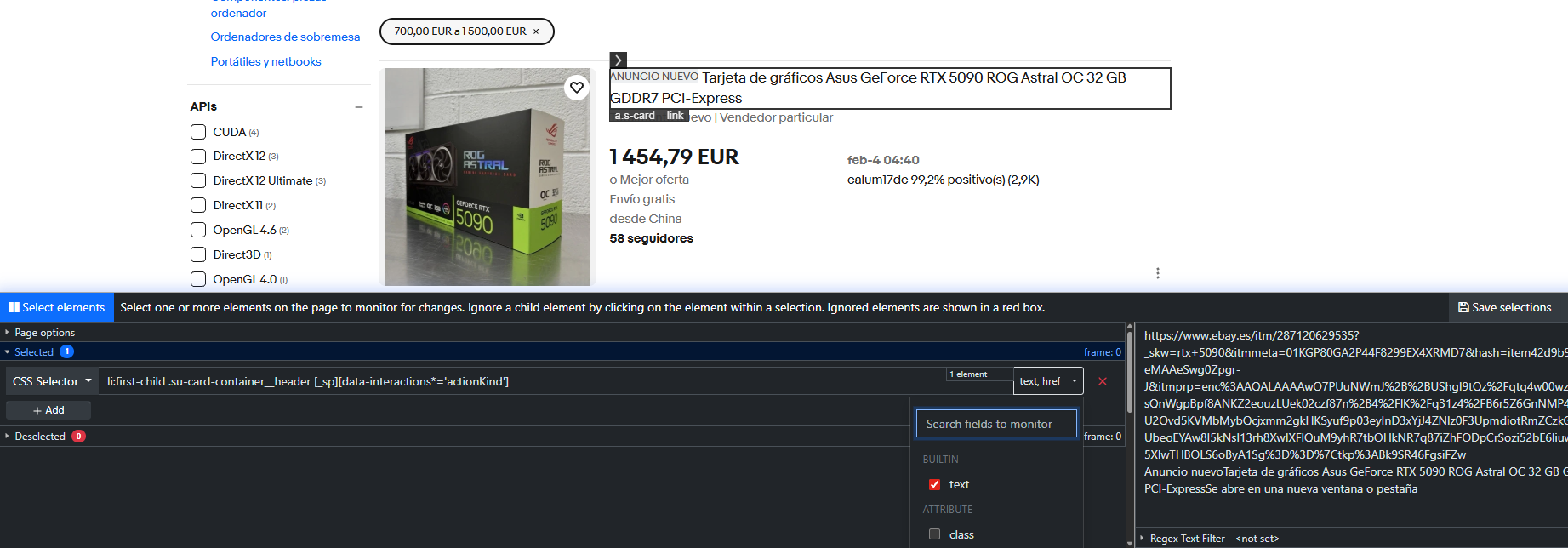
Selection: (I’ve selected href so distill loooks after the url instead of the whole listing, the url shouldn’t change from run to run but it seems it’s not working like I intended)
@roxtar Thanks — that helps explain what you’re seeing.
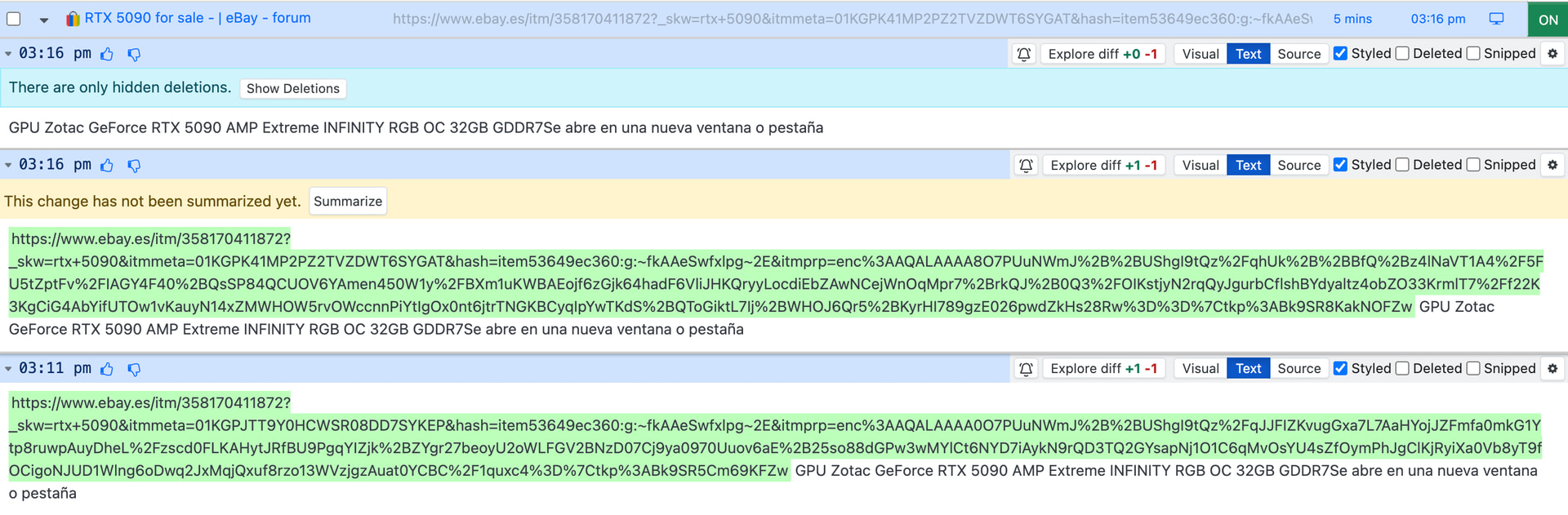
Even though you selected only the href, eBay’s listing links still include dynamic tracking parameters that change on each page load/check (things like itmmeta=... and parts of itmprp=...). So the URL is not identical from run to run, which is why Distill detects a change and sends an alert every time.
I would recommend you to remove the href option, which will in turn stop the false alerts.

@roxtar Would you be able to share a screenshot of the Change History (Example screenshot shown below) of the monitor?
For example,
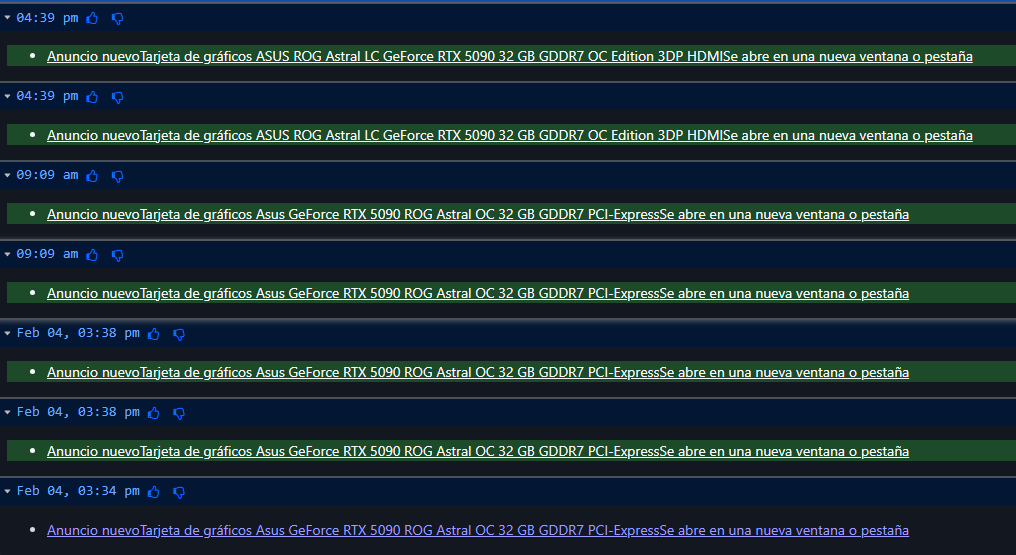
@roxtar Its because of the selector you have chosen. Can you replace the selector with the one I am sharing below:
[id$=‘results’] li:first-child [aria-level] .su-styled-text
This should stop the false alerts.