After sign in Desktop App push up this error:
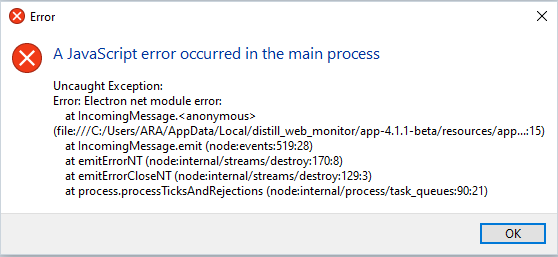
Operating system - windows 10.
in google chrome working propertly
After sign in Desktop App push up this error:
Operating system - windows 10.
in google chrome working propertly
@alex_vl Thanks for sharing the screenshot.
Could you please try the following steps:
Completely close the Distill Desktop App
Restart the app and check whether the issue is resolved
If the problem still continues:
Uninstall the Distill Desktop App from your system
Download and install the latest version from:
https://distill.io/apps/web-monitor/
After reinstalling, please try signing in again and let us know whether the error still appears.