check out How to monitor Attribute and Property value. it shows how attributes like href or src can be monitored for changes. basic steps here are:
- select the elements whose attributes need to be monitored for changes.
- select
hrefas the monitored field.textis monitored by default.
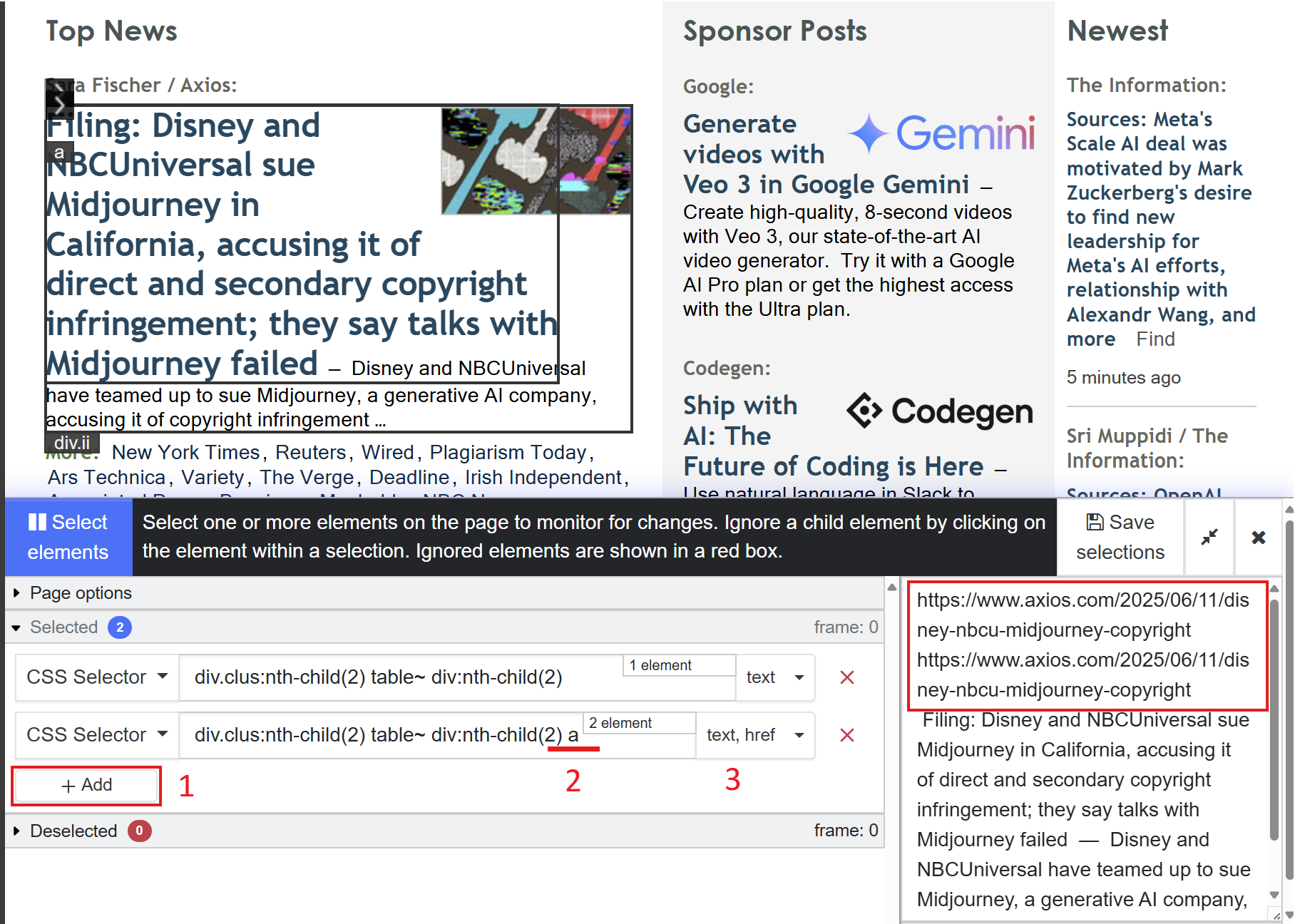
when monitoring a section’s content as well as the section’s anchor tag’s href, an additional selector can be added to select the section’s anchor tag and monitor their attributes. here are the seps after making the first selection:
- click “add” button to add a new selector.
- edit the selector by copying the selector or the first selection and appending
ato it. notice the space beforea. - select
hrefas the monitored field.
this will select all anchor tags within the selected section. you will notice that the text preview now displays hrefs too. here is a screenshot of configuring this using the visual selector:
note that if the selector was just a, it will select all anchor tags in the page.
hope this helps. cheers!