@sk9er You can make Discord show the image instead of just the image URL by using a Webhook Call action and sending the image URL as a Discord embed.
How to set this up
-
Go to your monitor Actions → Add Action → Webhook Call and paste your Discord webhook URL.
-
Under Parameters, add the following:
-
Key:
embeds -
Value: use the image URL output (
{{sieve_data.text}}) inside an embed JSON:json:[ { "image": { "url": "{{sieve_data.text}}" } } ]
-
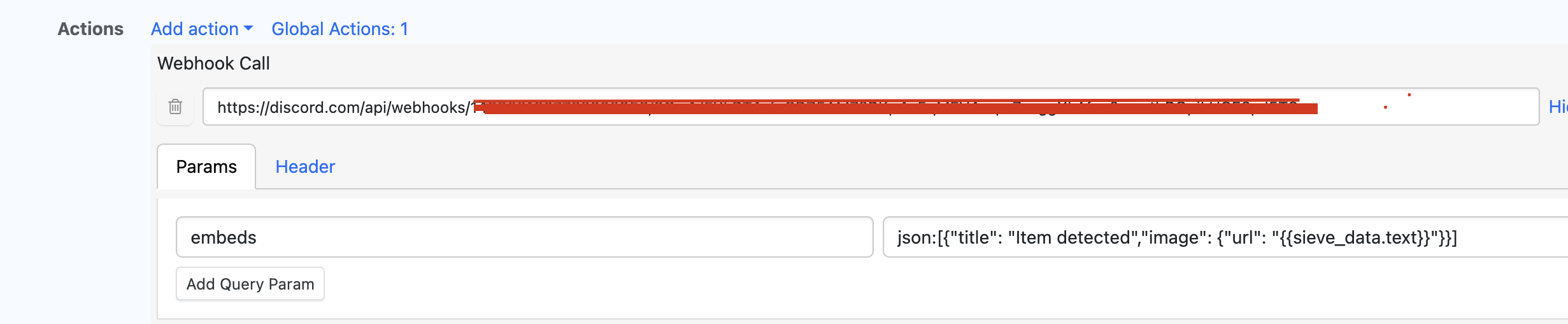
This tells Discord to treat the URL as an image and render it inline. When the monitor check runs and a change is detected, you’ll see the image displayed directly in Discord, not the image URL.
For additional examples and discussion around this setup, you can also refer to this forum post:
https://forums.distill.io/t/monitor-url-link-to-only-be-sent-to-discord-webhook/2787/2?u=ajitk